
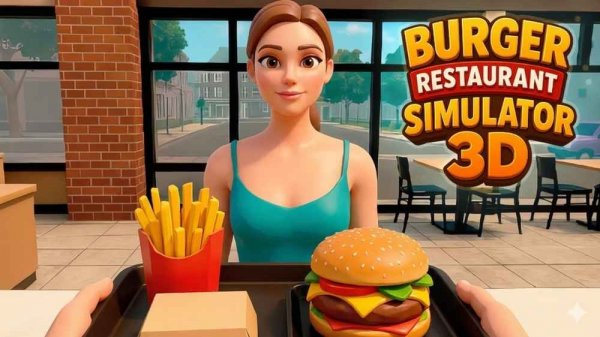
Burger Restaurant Manager 3D
Reviews
Burger Restaurant Manager 3D offers a rewarding experience for fans of management games. The progression from a small kitchen to a bustling restaurant feels natural and motivating. Cooking a variety of foods, upgrading equipment, and hiring staff keep the gameplay fresh. The controls are simple and intuitive, making it easy to jump in. It's a great choice for anyone who enjoys building and managing a business in a family-friendly setting.
About this game
Game Introduction
Burger Restaurant Manager 3D is a restaurant management simulation where players begin with a modest kitchen and work toward creating a thriving culinary business. The core objective is to cook and serve a variety of foods—including burgers, fries, nuggets, drinks, and coffee—while overseeing staff and finances. Every decision influences customer satisfaction and the restaurant's reputation. Players can upgrade equipment, hire employees, and decorate the restaurant to attract more guests. Satisfied customers leave tips and help the business grow. This game provides a complete experience of running a food service operation from the ground up, with a clear path from small beginnings to a large establishment.
How to Play
Players typically move their character using standard keyboard controls, such as the WASD keys, and interact with objects like the stove or cash register by pressing a designated interaction key. The camera can be rotated with the mouse for a better view. To manage the restaurant, players can open a shop menu to buy equipment and decorations, check daily tasks, and claim rewards. The interface usually includes options to show or hide the cursor and to pause the game. The main gameplay loop involves taking orders, cooking food quickly and accurately, and serving customers to keep them satisfied.
Game Features
Features include cooking and serving a variety of foods, managing finances, upgrading equipment, hiring staff, expanding and decorating the restaurant, opening new branches, and launching a cafe or food truck. The game provides a clear progression from a small kitchen to a larger operation, with straightforward tasks and satisfying rewards. It is designed for players who enjoy building and managing without overly complex mechanics.
Tips for Success
Focus on cooking orders quickly and accurately to keep customers satisfied, as their happiness leads to tips and a better reputation. Regularly upgrade equipment to improve efficiency and expand the menu to attract more guests. Hire staff to help with tasks, allowing you to focus on management. Decorate the restaurant to create an inviting atmosphere, and keep an eye on finances to ensure steady growth. Completing daily tasks and claiming rewards can provide valuable resources.








Comments
Sign in to leave a review
No account? Create one
No comments yet.